ANNA MIMOSA OLME
Senior UX / UI designer
located in Espoo, Finland
Back

Finnish Matriculation Exam Score Calculator

A tool aimed at assisting students in determining their eligibility for universities based on their grades. Apart from providing eligibility details, it also offers feedback on areas they might focus on to enhance their scores and thereby maximize their potential university choices.

Company
Mafy Oy
My role
User flow observation, mapping, identification of potential pain points, UX research, UX design, user testing, recommendations
Tools
Figma, WhatsApp + Telegram for user interviews
Visit Link
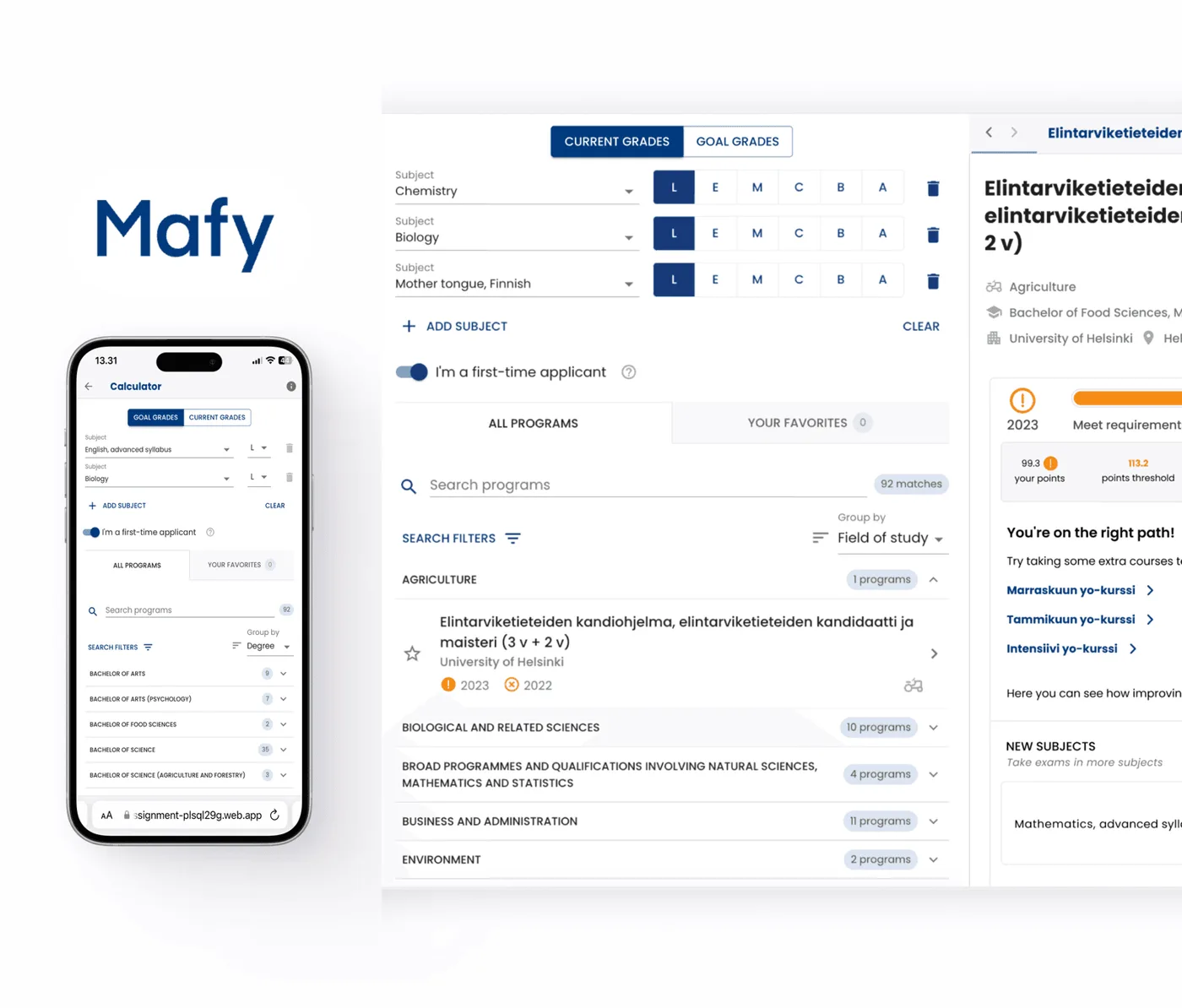
Mafy exam score calculator on a laptop and phone
01

The Task

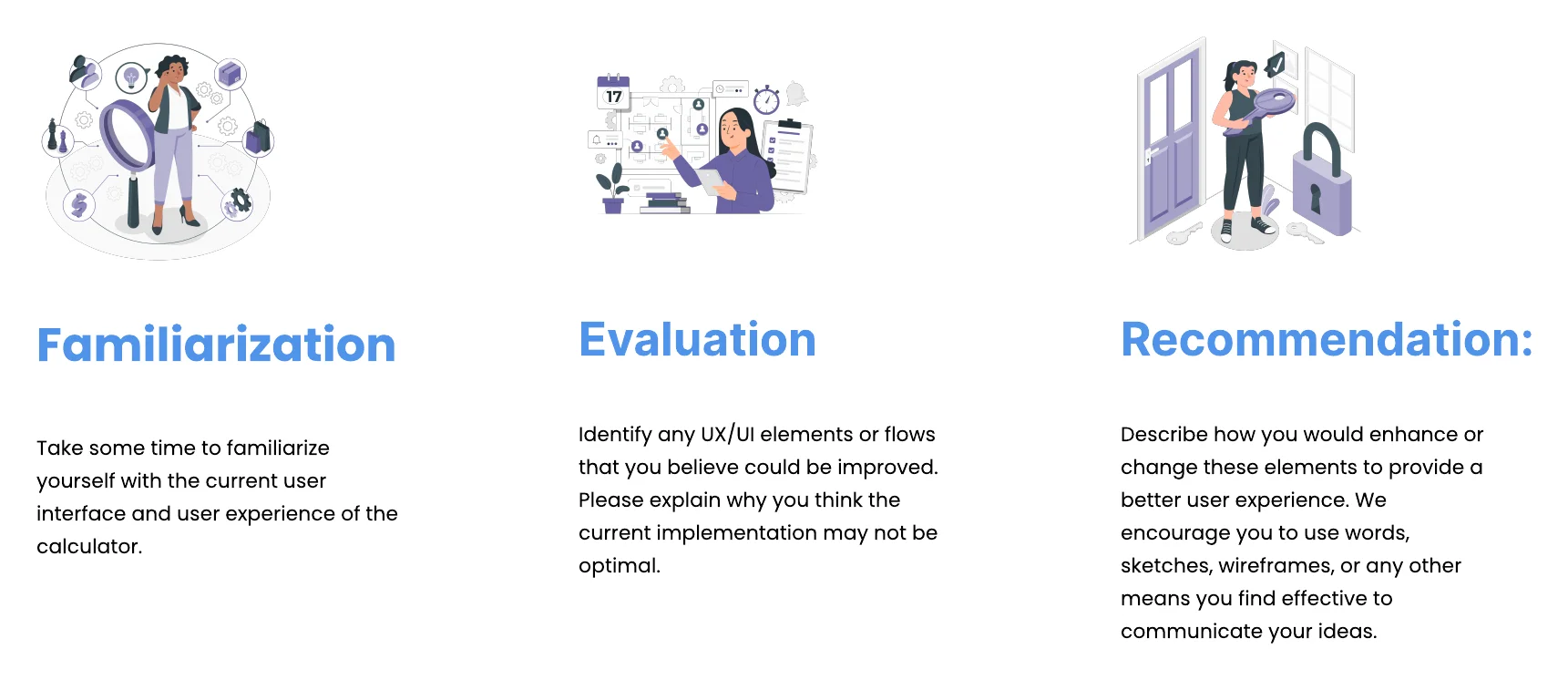
Three steps of the task: familiarization, evaluation and recommendation
02

User Flow

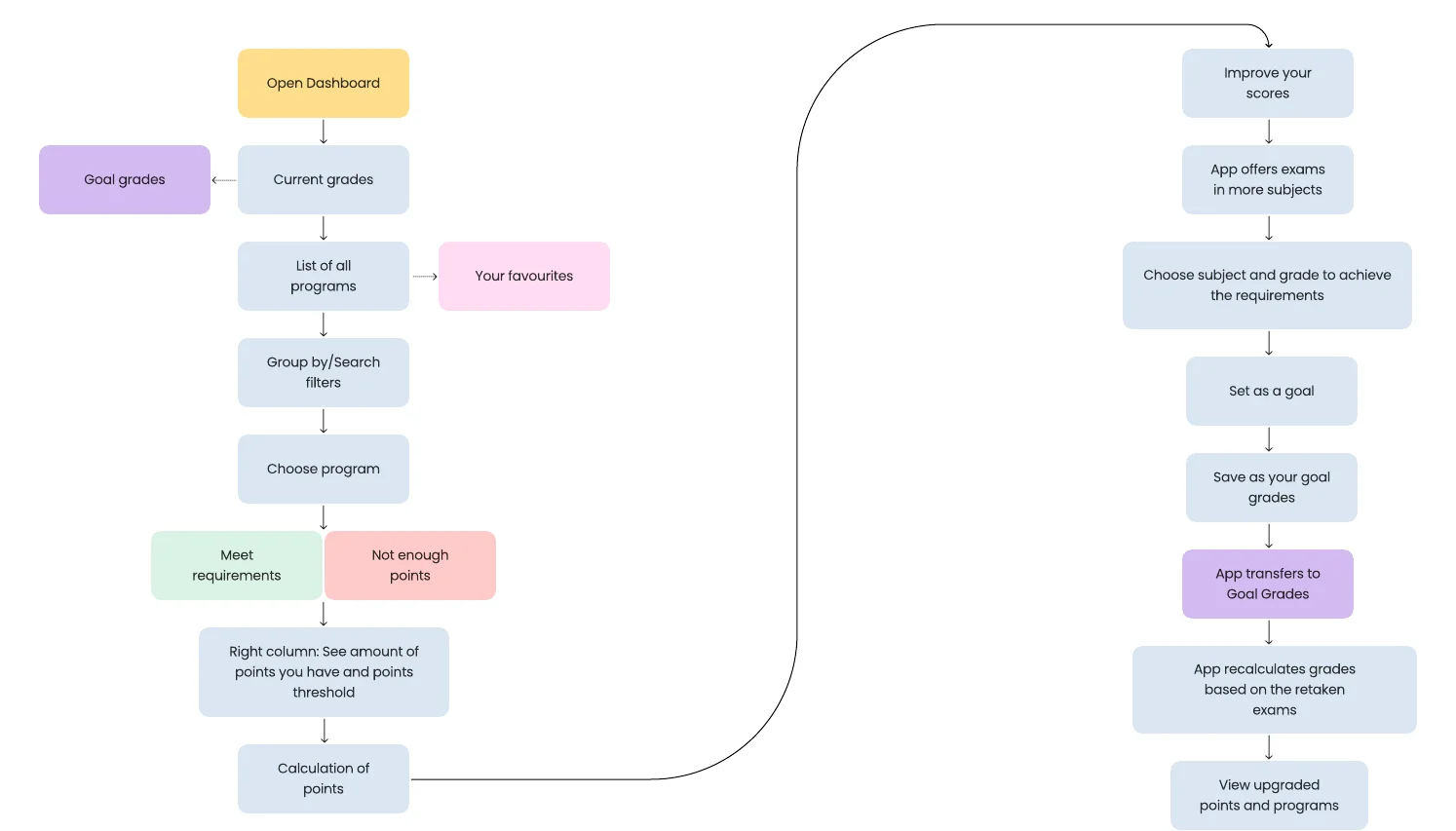
User flow from opening the dashboard to checking eligibility, then improving scores with goal grades
03

Evaluation

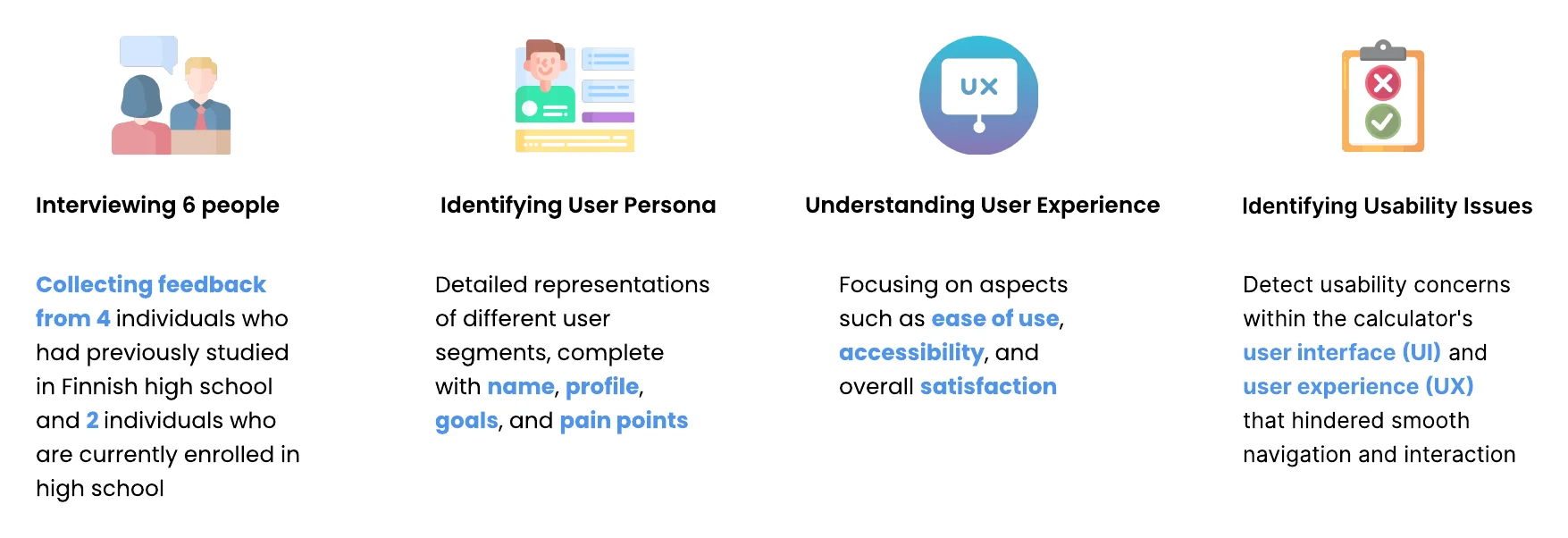
Evaluation approach: interviewing 6 people, identifying a persona, understanding the user experience and identifying usability issues
04

Interviews

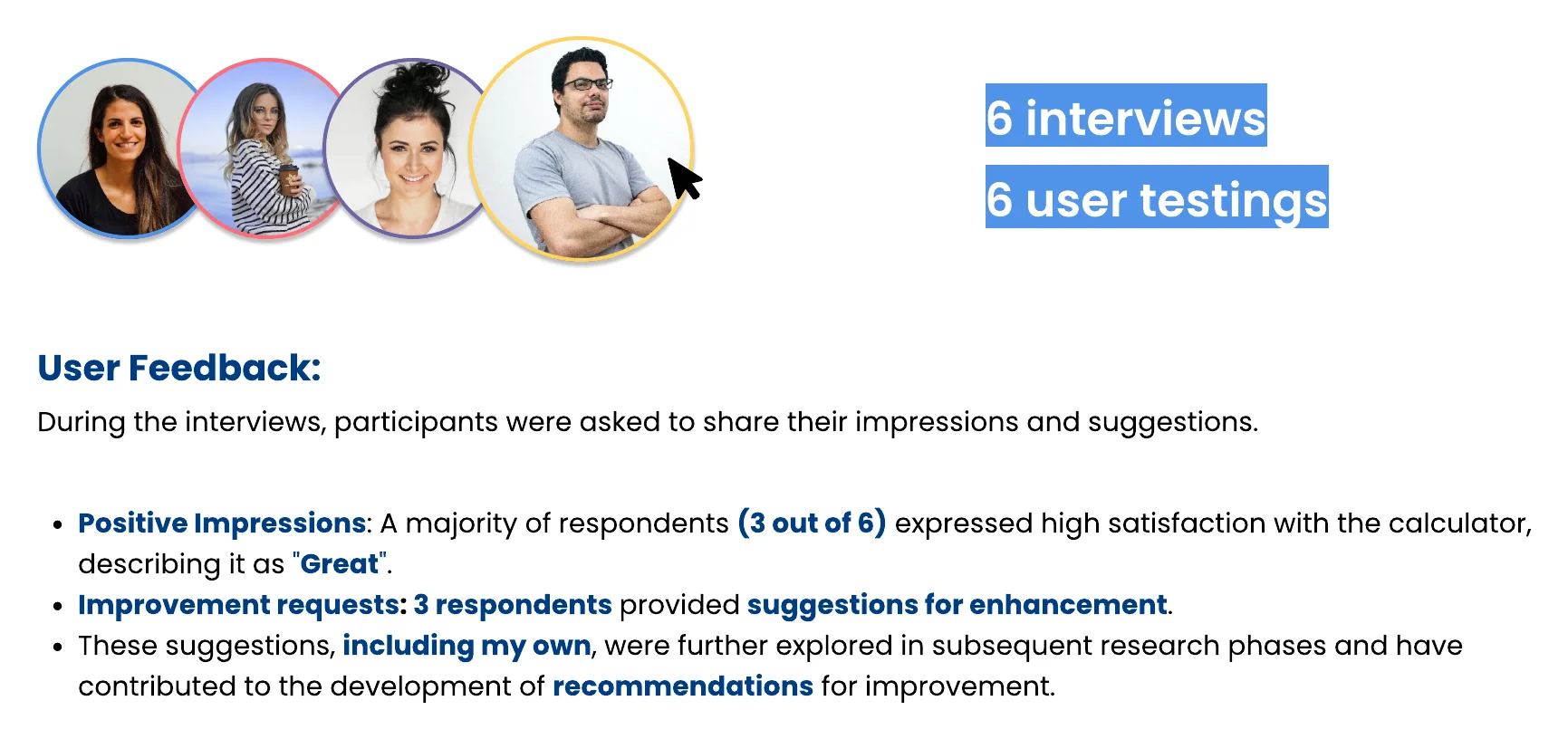
6 interviews and 6 user tests. 3 of 6 respondents were highly satisfied and 3 gave suggestions for improvement
05

Positive Feedback

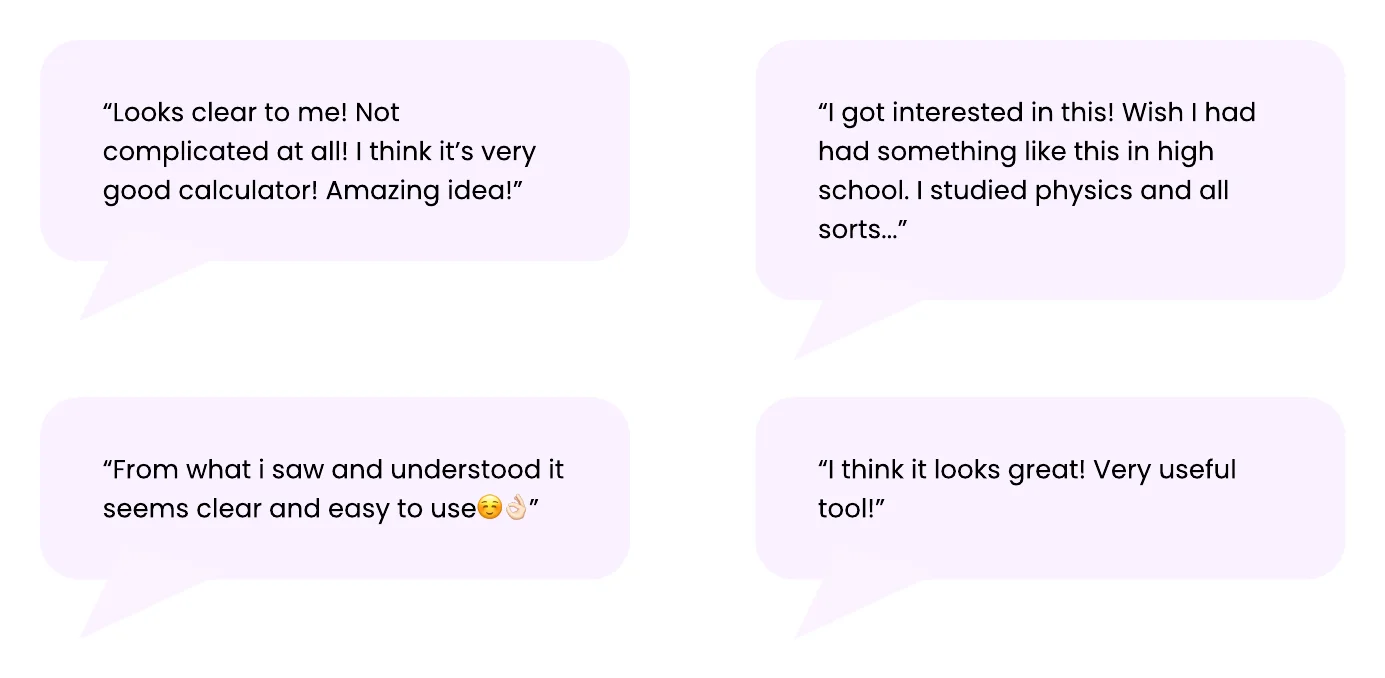
Four positive quotes from participants, such as: looks clear to me, not complicated at all
06

Improvement requests

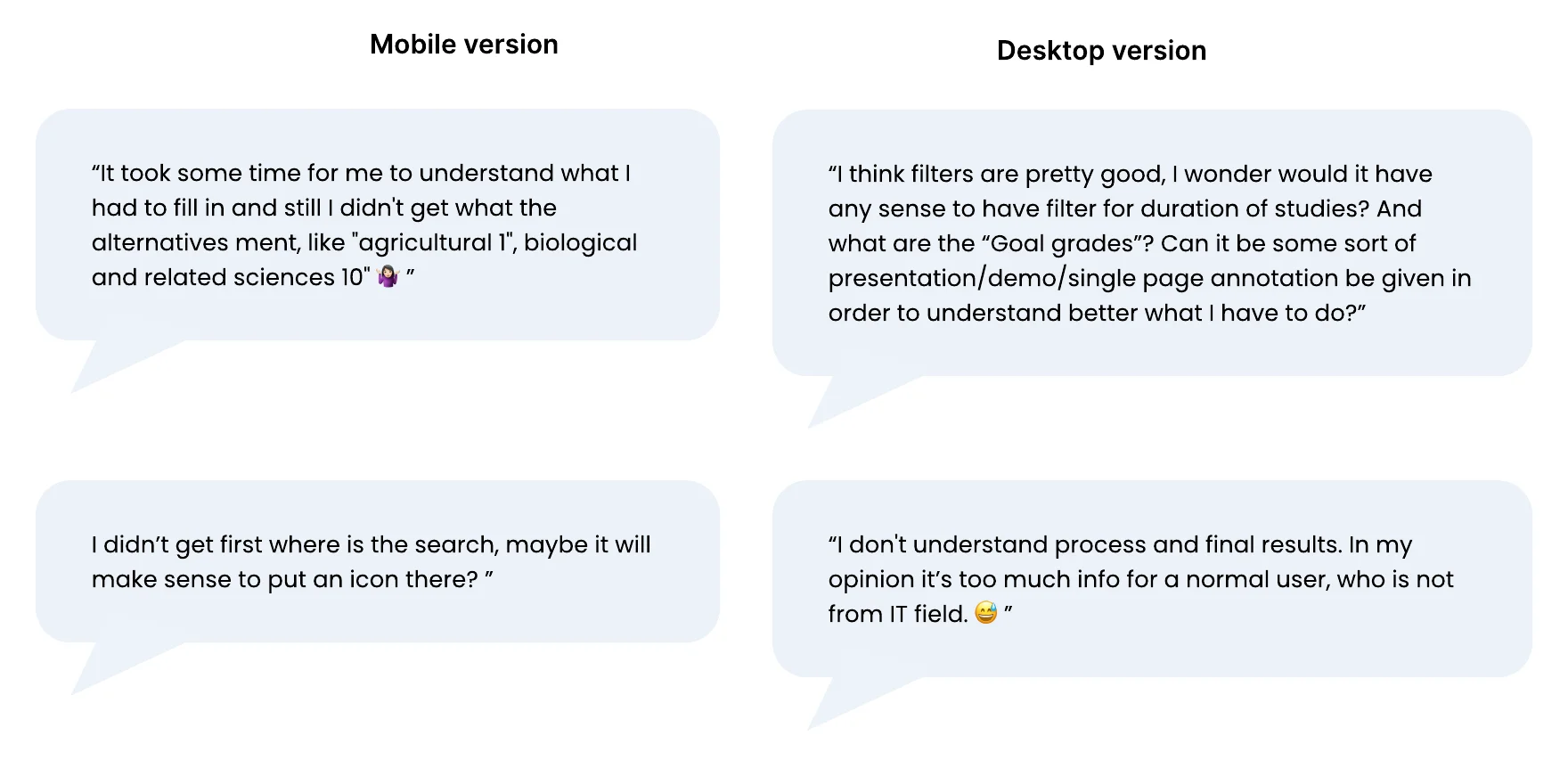
Improvement requests from participants on the mobile and desktop versions
07

Persona

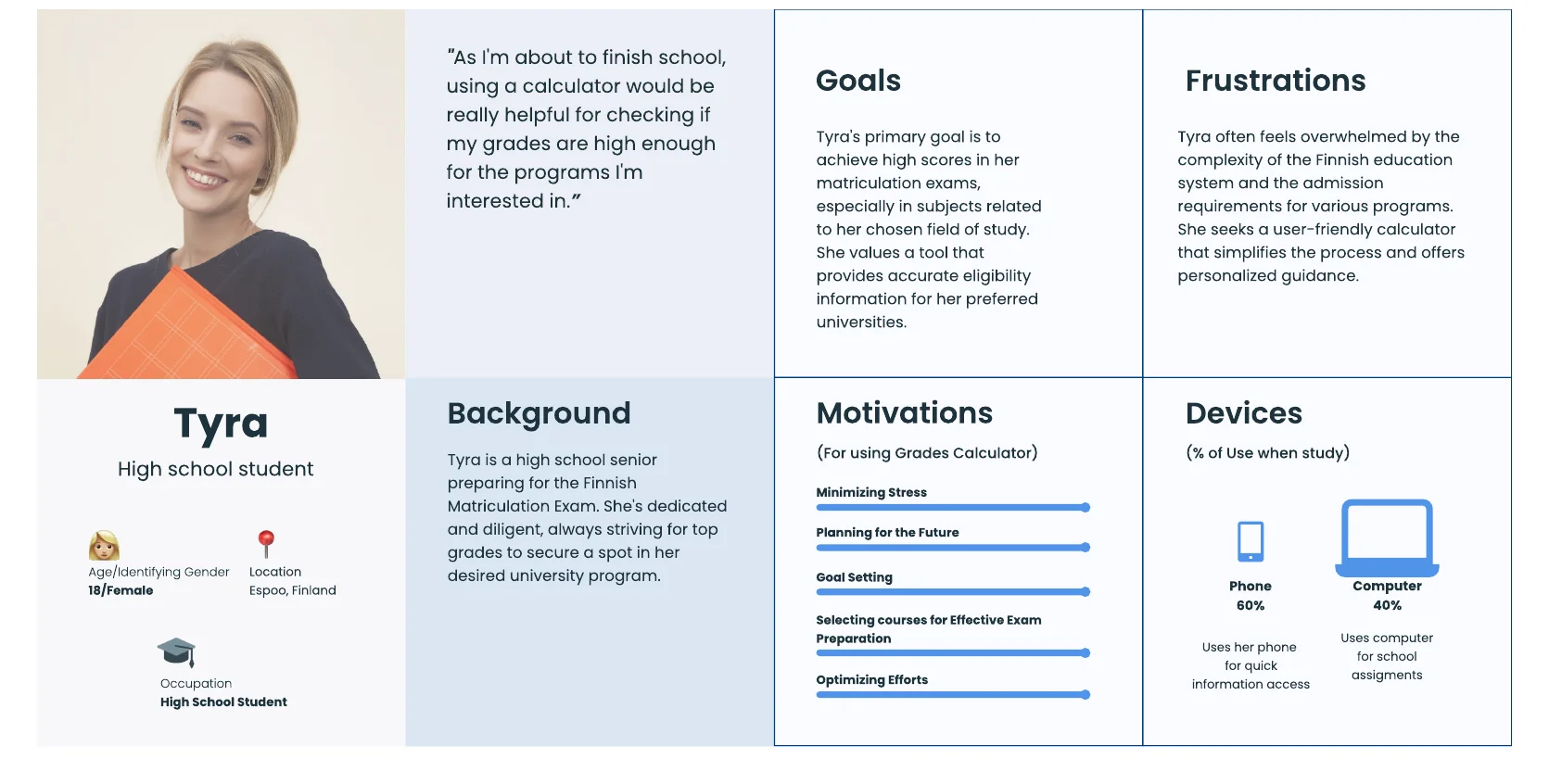
Persona: Tyra, an 18-year-old high school student in Espoo, with goals, frustrations, motivations and devices
08

Usability Challenges

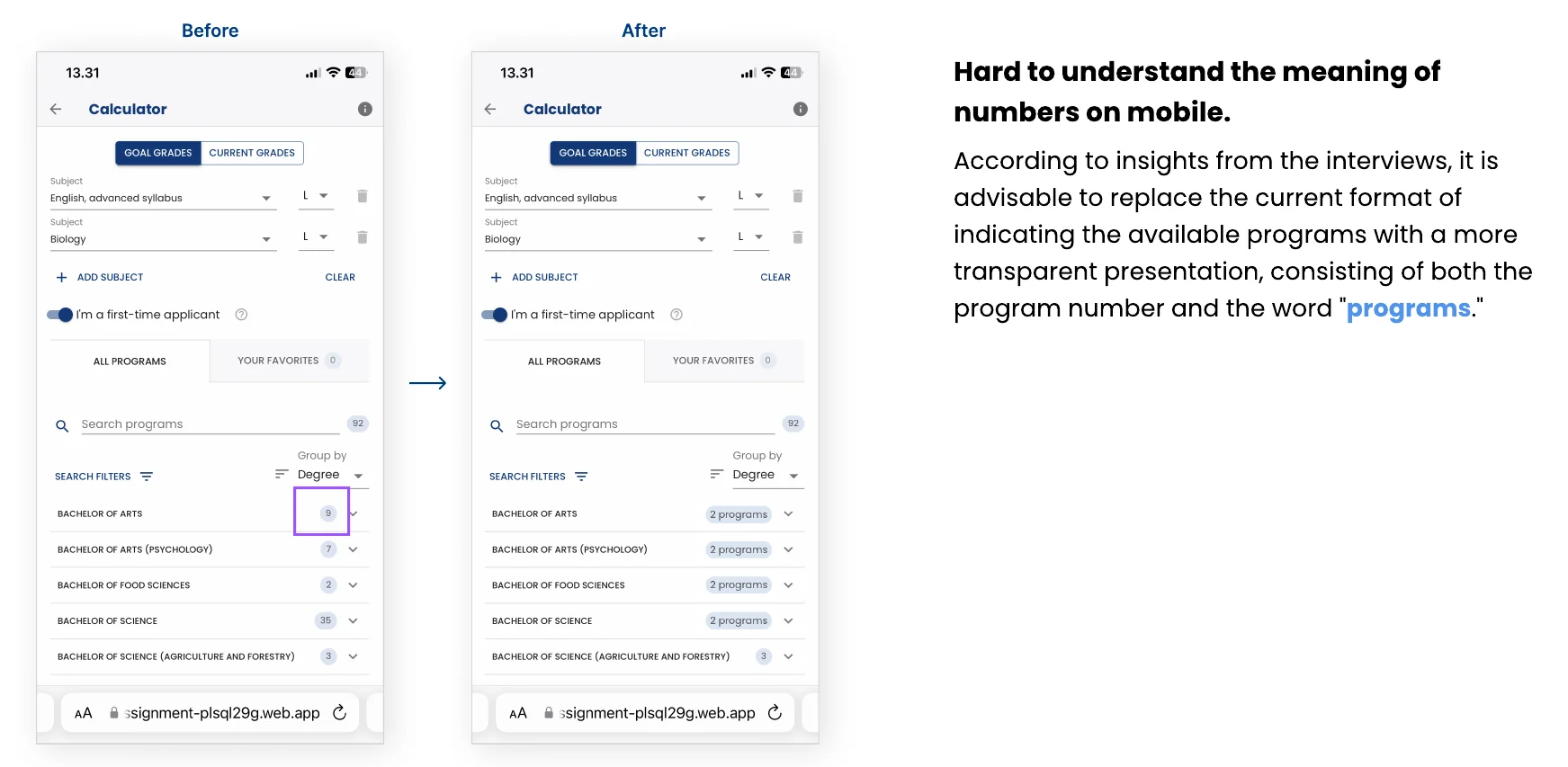
Before and after on mobile: bare programme counts become labels such as 2 programs
09

Usability Challenges

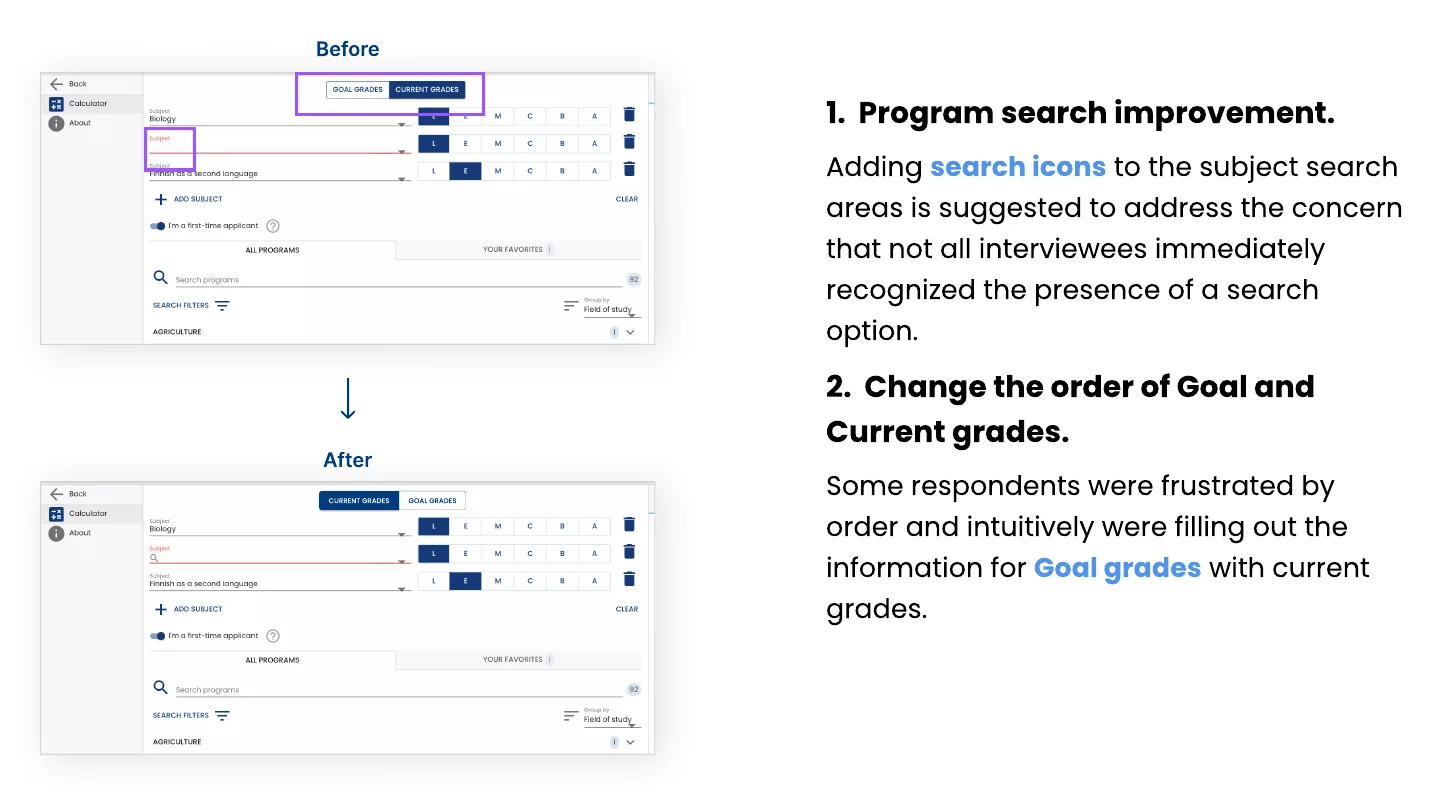
Before and after on desktop: search icons in subject fields, and current grades moved before goal grades
10

Usability Challenges

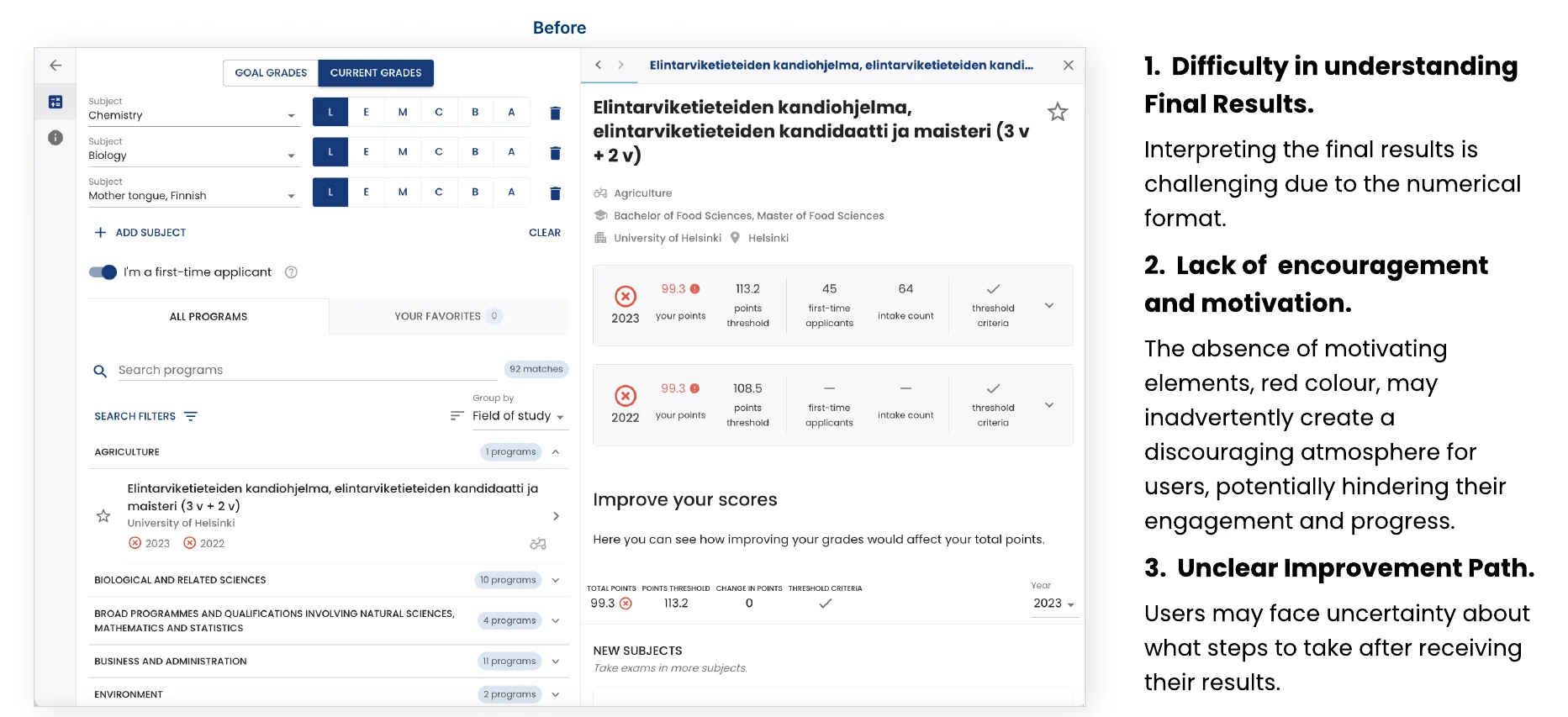
The final results view before the redesign, with three problems: hard-to-read numbers, discouraging red colour and an unclear next step
11

Redesign of Final Results

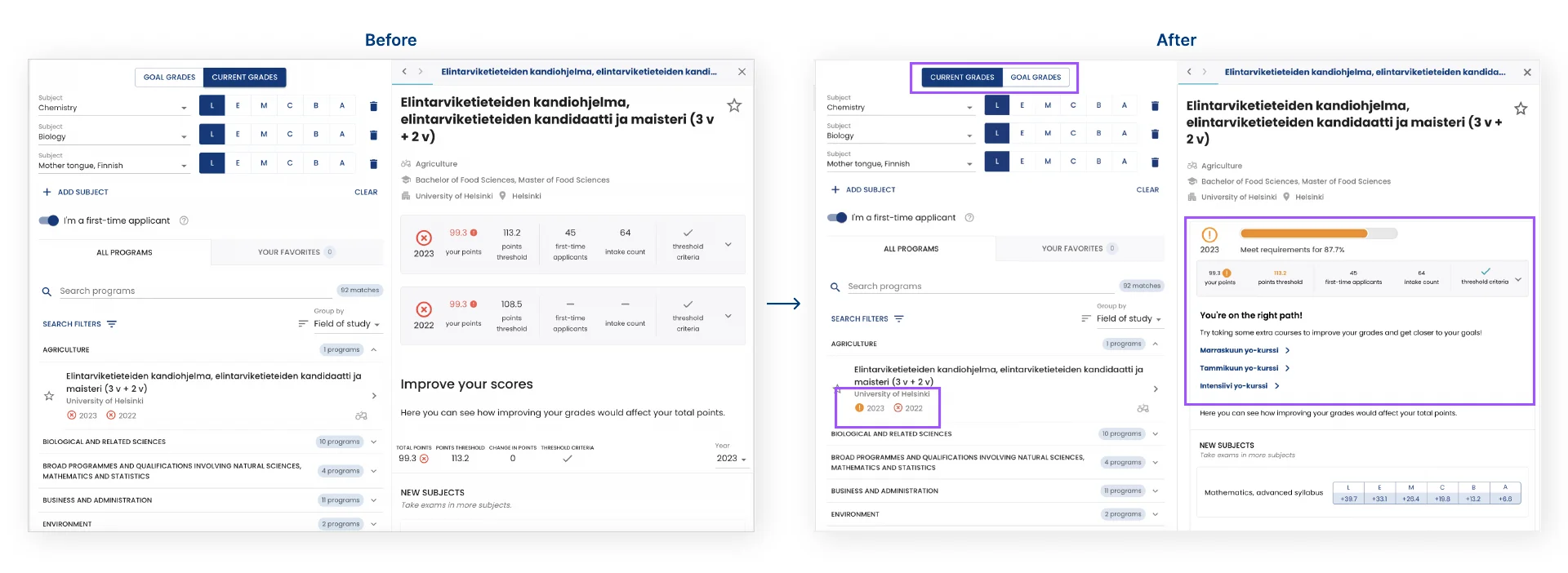
Final results before and after: progress bar, orange instead of red, and links to prep courses
12

Redesign of Final Results

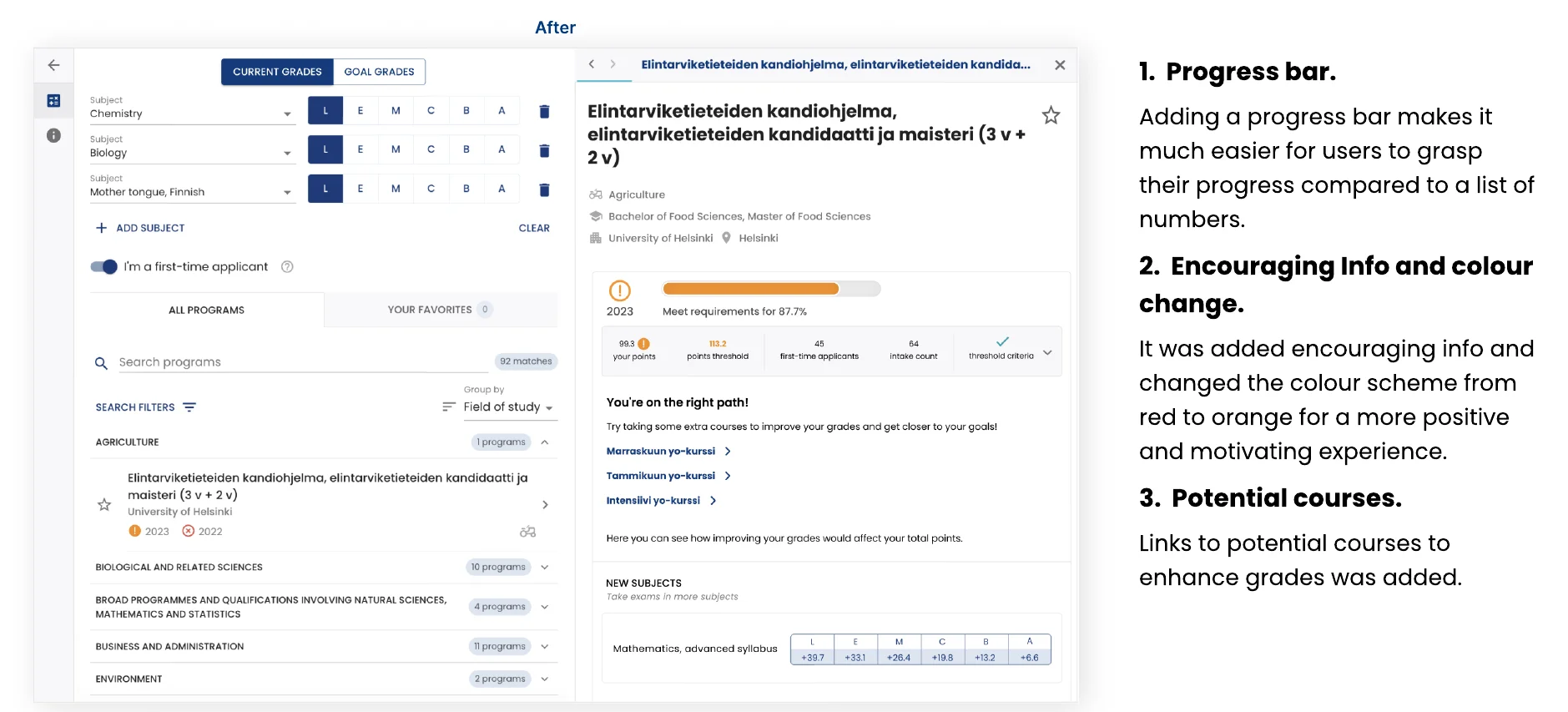
The redesigned final results: progress bar, encouraging message and potential courses
13

Bonus

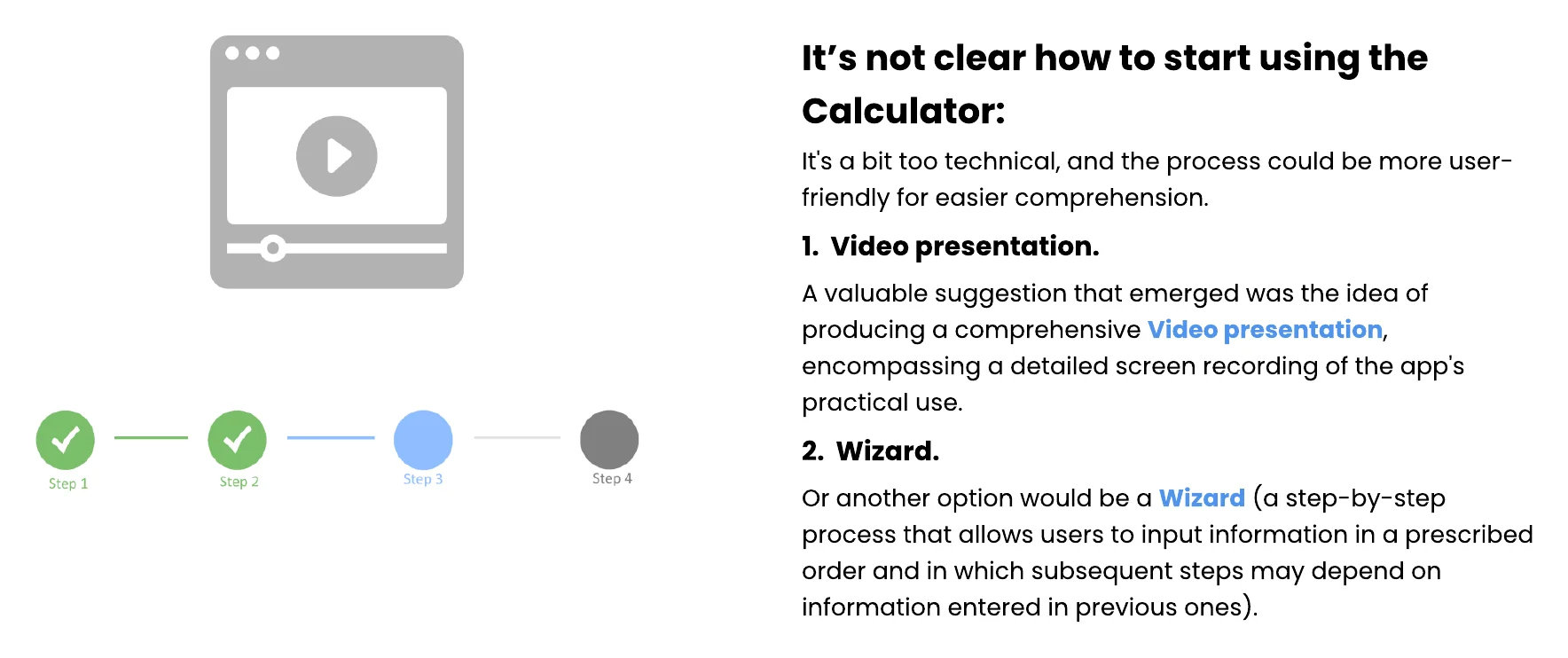
Bonus ideas for getting started: a video presentation or a step-by-step wizard